Learn how to create, test, and upload a robots.txt file correctly to guide search engine crawlers and improve crawl efficiency.
7 minRead timeTutorialStep by stepFree toolNo signup
Updated June 2026
How to create a robots.txt file with a clear crawler workflow.On this page
If you are learning how to create a robots.txt file for the first time, the good news is that the file is short, public, and easy to review. The tricky part is not the syntax. The tricky part is understanding which rules help search crawlers and which rules accidentally block useful content.
This beginner guide is written for people who want a practical tutorial, not a theory-heavy SEO lecture. We will cover what the file is, where it belongs, why it matters, how to create it, how to test it, and how to upload it safely. Along the way, you will also see a clean robots txt example, WordPress guidance, Blogger guidance, and common mistakes to avoid.
A good robots.txt file does not need to be long. In most cases, the best file is simple, readable, and directly connected to the real structure of your website. That is exactly what this tutorial will help you build with a robots.txt generator or by reviewing the output manually before upload.
Quick answer
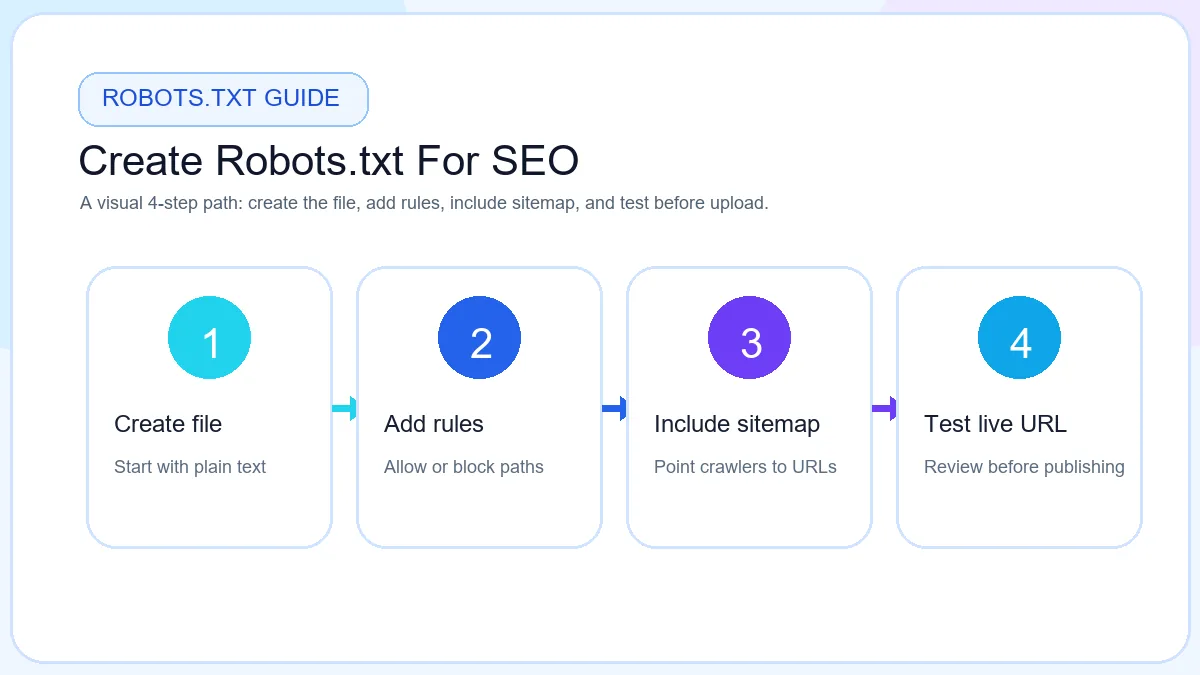
To create a robots.txt file, make a plain text file named robots.txt, add your user-agent rules, include the sitemap URL, review the output, test key paths, and upload the file to the root of your domain so search engine crawlers can read it correctly.
What Is a Robots.txt File?
A robots.txt file is a small file named exactly robots.txt. It lives at the root of a website, for example https://example.com/robots.txt. Search engine crawlers such as Googlebot and Bingbot check this file before crawling many parts of a site.
The file does not index pages by itself. Instead, it gives crawler instructions. You can tell bots that a folder should not be crawled, that a specific path is allowed, or that your sitemap is available at a particular URL.
It is important to remember that robots.txt is public. Anyone can open it in a browser. It should never be used to protect private pages, secret files, customer data, staging sites, or admin-only documents.
Search engine crawlers are usually polite software agents. Googlebot, Bingbot and other compliant bots read robots.txt because it gives them a quick site-level map of what should be crawled. Bad bots may ignore the file completely, which is why security should never depend on robots.txt.
The file is useful because it is predictable. Developers, SEO teams and site owners can open the same URL, read the same crawl rules, and discuss changes without digging through code. That makes it one of the simplest technical files to manage once you understand the basics.
How to create a robots.txt file
Why Robots.txt Matters For SEO
Robots.txt matters because crawling is how search engines discover and refresh pages. If crawlers spend time on low-value filters, internal search pages, duplicate paths, or temporary areas, they may spend less time on pages that deserve attention.
That is where robots.txt for SEO becomes useful. The file can guide crawlers away from duplicate URLs, internal search pages, temporary folders, or technical sections that do not deserve regular crawl attention. This can make crawling more efficient without touching the quality of your public content.
For a small brochure website, the file may stay very short. For an ecommerce or content-heavy site, it may help reduce crawling of faceted URLs, filter combinations, cart paths, or duplicate archive pages. The goal is crawler guidance, not secrecy.
Robots.txt also supports indexing indirectly. When crawlers waste less time in weak sections, they can spend more time revisiting pages that actually matter. That is one reason many teams choose to generate robots.txt with a clear review workflow instead of copying random code from another site.
For beginners, a free robots.txt generator or robots.txt file generator is often the safest way to start because it helps you see the final structure before anything goes live.
Benefit
Description
Crawl Control
Tell crawlers which technical folders, search paths or duplicate areas should be avoided.
Crawl Budget Optimization
Reduce crawling of low-value areas so important pages are easier to revisit.
Sitemap Discovery
Add the sitemap URL so search engines can find important URLs faster.
Faster Crawling
Clean rules make it easier for crawlers to understand site-level crawl guidance.
Indexing Support
Help crawlers focus attention on indexable pages instead of technical clutter.
Where Is Robots.txt Located?
The robots.txt file should live at the root of the main domain. That means the final URL should look like https://example.com/robots.txt. If the file is uploaded inside a subfolder, search engines may not treat it as the main crawler instruction file for the website.
For most hosting setups, the root folder is the same place where your live homepage files are published. On many servers that folder may be called public_html, www, htdocs, or the final build output directory. If you use a CMS, static hosting, or a deployment platform, place the file wherever the live site root is served from.
A quick way to confirm the location is simple: upload the file, open the live URL in a browser, and make sure the browser shows plain text at /robots.txt.
How To Create A Robots.txt File
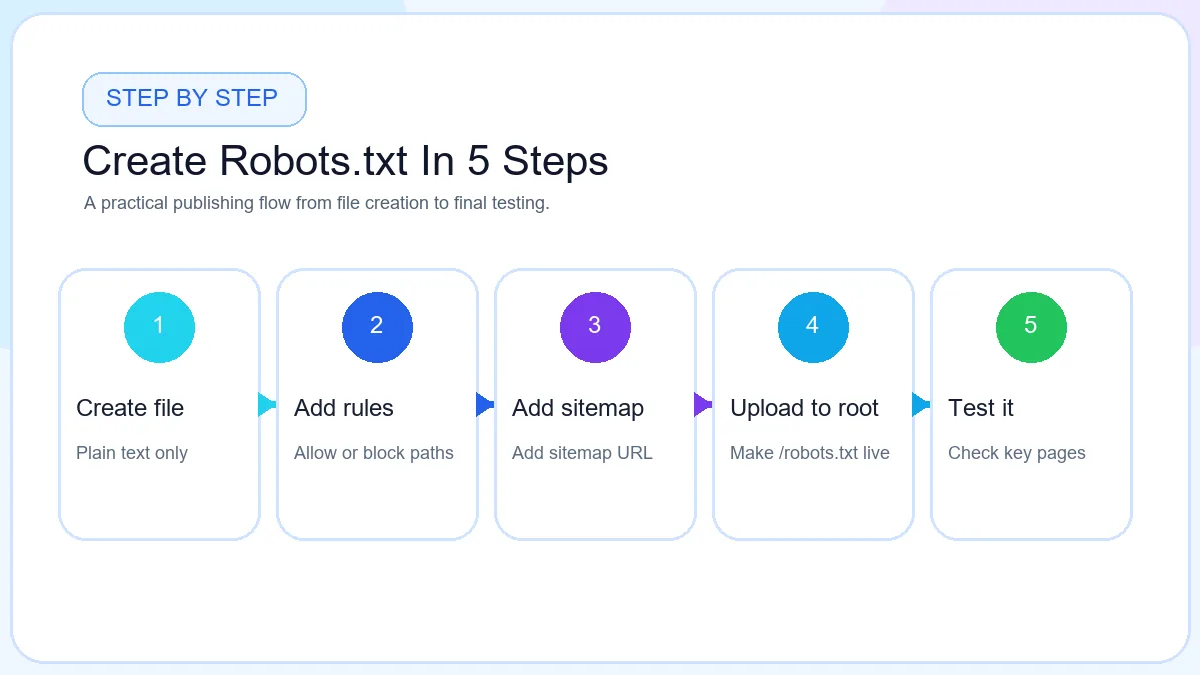
The easiest way to create robots.txt safely is to work in a short guided sequence. That keeps the file readable and reduces the risk of publishing a block rule that hurts important pages. If you prefer a guided workflow, a robots.txt generator keeps the format clean while you focus on the rule logic.
Step 1 Open Robots.txt Generator
Start with the free Robots.txt Generator so you can see the structure clearly while building the file. A generator is useful for beginners because it keeps the file format organized and makes it easier to preview the final output before upload.
Step 2 Enter Website URL
Add your main website URL first. This helps you stay focused on the correct live domain and makes it easier to add the right sitemap URL later. If your site has both www and non-www versions, choose the live canonical version you actually use.
Step 3 Add Allow Rules
If there are paths you specifically want to keep crawlable inside a broader blocked area, add allow rules next. Many small sites may not need many allow rules, but they are useful when a subpath must remain accessible to crawlers even when a parent folder is restricted.
Step 4 Add Disallow Rules
Add disallow rules only for areas that should not consume crawler attention. Good examples include internal search pages, duplicate filtered URLs, temporary folders, or technical sections that do not help users in search. Avoid blocking important pages, CSS, JavaScript, or critical media without testing first.
Step 5 Add Sitemap URL
Add the full sitemap URL near the bottom of the file, for example Sitemap: https://example.com/sitemap.xml. This helps search engines discover your important pages more efficiently. If you still need the sitemap itself, generate it with the XML Sitemap Generator before publishing the robots file.
Step 6 Preview File
Preview the generated file line by line. Check the spelling of every directive, confirm slashes are correct, and make sure no path is being blocked by mistake. A short preview review is often enough to catch the kind of error that creates avoidable SEO problems. This is also the best place to test rules before you download the final file.
Step 7 Download Robots.txt
Once the preview looks right, download the file. Save it exactly as robots.txt. Do not rename it or export it as a document format. Search engines expect a plain text file, so the filename and format both matter.
Step 8 Upload To Root Directory
Upload the file to the root directory of the live website so the final URL becomes https://example.com/robots.txt. After uploading, open that URL in the browser, review the live file again, and clear cache if your server or CDN still shows an older version.
How To Create A Robots.txt File Step By Step
Robots.txt File Structure Explained
Before you publish any file, it helps to understand the main directives. These are the lines you will see most often inside a beginner-friendly robots.txt file.
Directive
Purpose
User-agent
Defines which crawler the rule group applies to, such as Googlebot or all compliant crawlers with *.
Allow
Lets crawlers access a path that should stay open, often used inside a broader blocked section.
Disallow
Tells crawlers to avoid a specific folder, file, or path pattern.
Sitemap
Points crawlers to the XML sitemap URL for easier discovery of important pages.
Crawl-delay
Requests a delay between crawler requests on some search engines, though support varies and Google does not use it the same way as some others.
If you are new to the format, keep the first version of the file short. The more rules you add, the more carefully you need to test them.
Robots.txt Directives Explained
Robots.txt Example
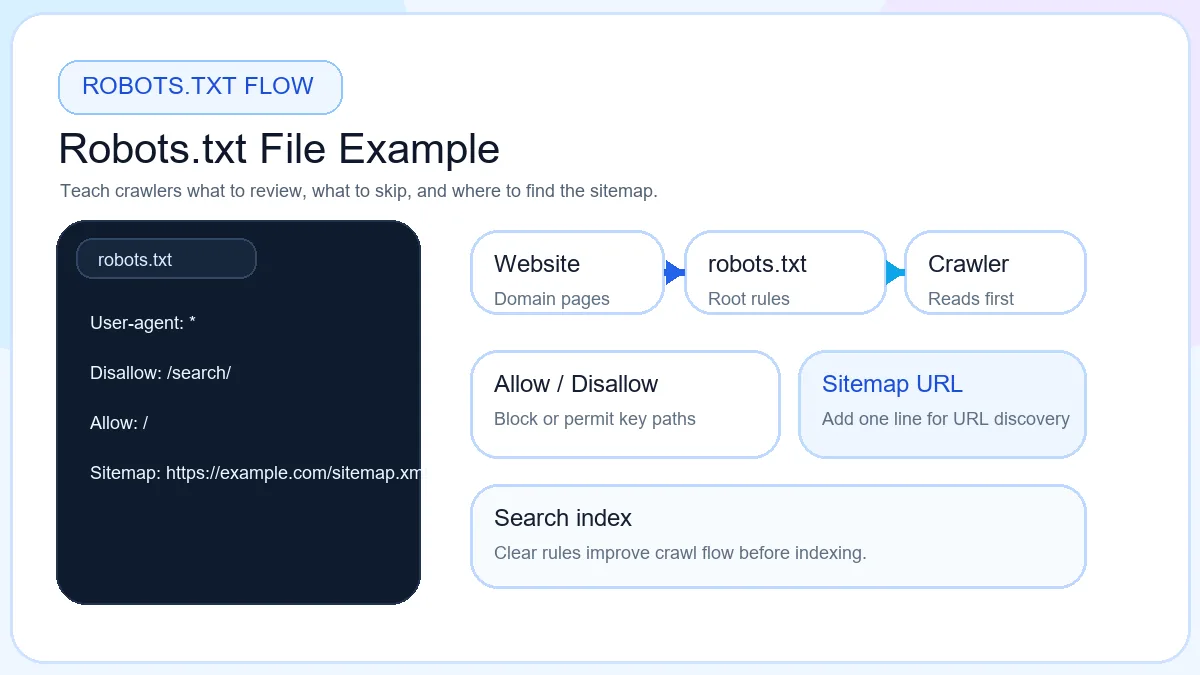
Examples make the rules easier to understand. Use this starter pattern to learn the format, then adjust it to your real folders and sitemap location.
The safest way to use a robots txt example is to copy the structure, not the exact paths. Replace every sample URL or folder with paths that really exist on your own website.
User-agent: * means the rule applies to all compliant crawlers. Allow: / tells crawlers the site is open for crawling. The sitemap line points to the location of your important URLs. This is a beginner-safe starting point for a simple site that does not need blocked paths yet.
Keep the file short, public, and easy to review line by line before upload.
Quick review
What each line means
User-agentAll compliant bots
AllowSite can be crawled
SitemapDiscovery URL
ReviewCheck before upload
How To Create Robots.txt Using ToolsLuv
If you want a faster workflow, use the ToolsLuv Robots.txt Generator. Enter your website URL, add only the allow or disallow rules you really need, place your sitemap URL in the correct line, and preview the output instantly before downloading.
This is also a good place to stay organized if you are still learning the syntax. Instead of typing everything manually from memory, you can focus on the rule logic and then review the final file like an editor before upload. For many beginners, this feels much easier than building the whole file from scratch in a text editor.
The ToolsLuv flow also works well as a free robots.txt generator because it gives you a live preview, a downloadable plain text file, and a cleaner way to check your sitemap line before the file reaches the root directory.
After the robots file is ready, many site owners continue with other SEO basics on the same page flow. For example, you can build your sitemap with the XML Sitemap Generator, then improve share snippets with the Open Graph Generator and page metadata with the Meta Tag Generator.
Robots.txt for WordPress
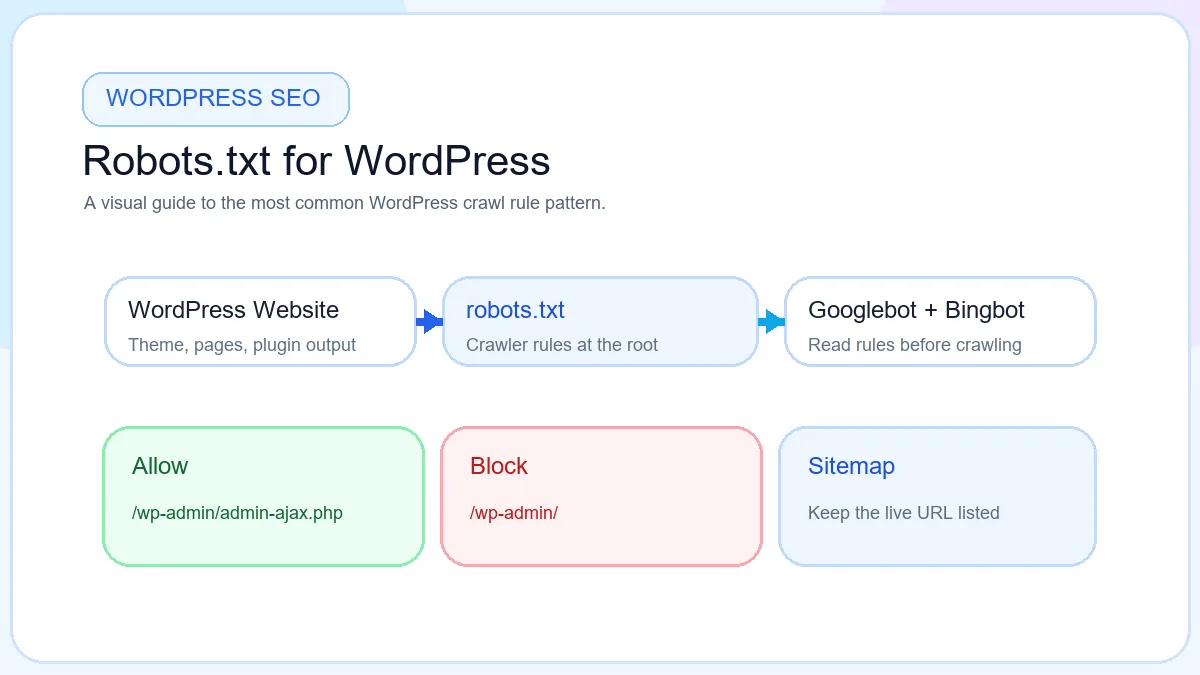
WordPress websites often need a simple custom robots.txt file because the CMS has admin paths and plugin-generated assets. A common beginner-safe setup blocks the main admin area but allows admin-ajax.php because themes and plugins may rely on it.
Disallow: /wp-admin/ tells crawlers not to spend time inside the admin folder. Allow: /wp-admin/admin-ajax.php keeps an important system file available. If you use Yoast or Rank Math, check the sitemap URL directly in plugin settings so the robots file points to the correct live sitemap.
After updating the file, clear cache if needed and open the live /robots.txt URL in the browser to confirm the final output is current.
Robots.txt For WordPress SEO
Robots.txt For Blogger
Blogger gives you a custom robots.txt area inside settings, so you do not always upload the file manually the same way you would on standard hosting. The important part is still the same: keep the file simple, include the Blogger sitemap URL, and avoid blocking pages that should stay discoverable.
Many Blogger users only need a short setup with a normal crawler group and a sitemap reference. If you decide to use custom robots rules inside Blogger, review them carefully because an aggressive block can reduce discovery of posts, label pages, or archive paths that still help users navigate the site.
Common Robots.txt Mistakes
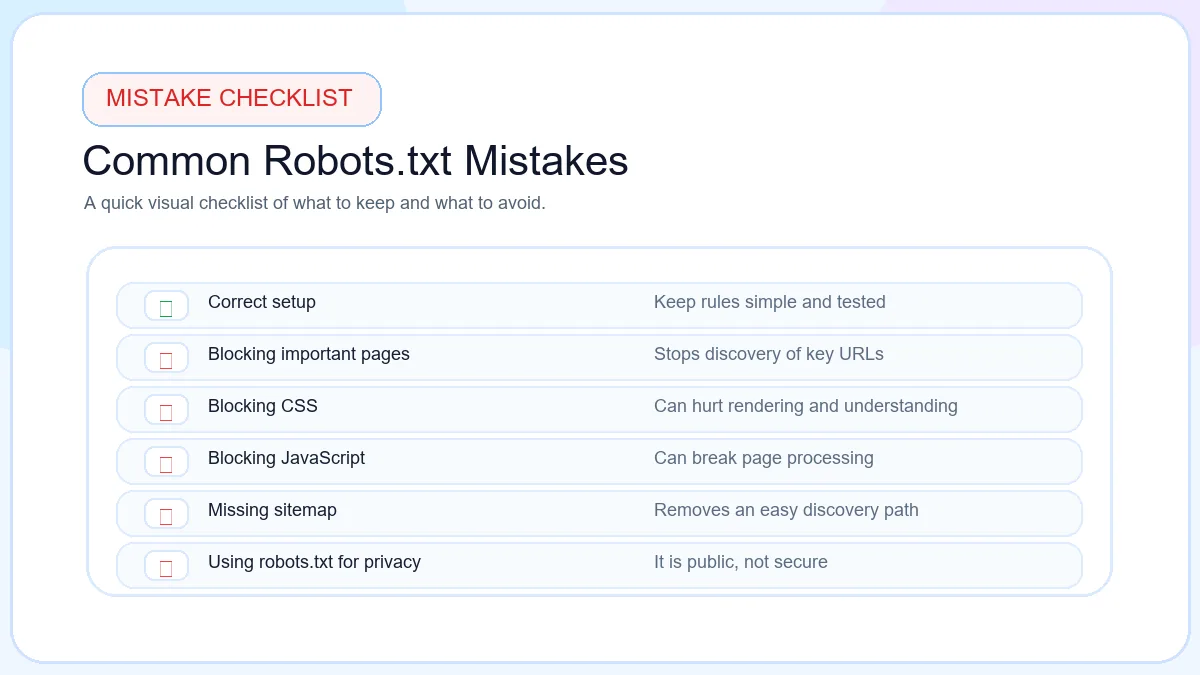
Blocking the entire website
Disallow: / can block every path for compliant crawlers.
Blocking important pages
Useful pages can disappear from crawl paths when rules are too broad.
Blocking CSS
Rendering signals can break when stylesheets are blocked.
Blocking JavaScript
Search engines may lose page behavior and rendering context.
Wrong sitemap URL
A broken sitemap line sends crawlers to the wrong place.
Wrong user-agent
Rules can miss the intended crawler when the agent name is wrong.
Using it as security
Robots.txt is public and should not protect private files.
Syntax errors
Small formatting mistakes can change how crawler rules are read.
Incorrect wildcards
Wildcard rules should be tested before publishing.
A practical habit is to treat every robots.txt edit like a small code change. Make one change, review it, test it, and keep a previous copy so you can undo it quickly if needed.
Common Robots.txt Mistakes
Best Practices for Robots.txt
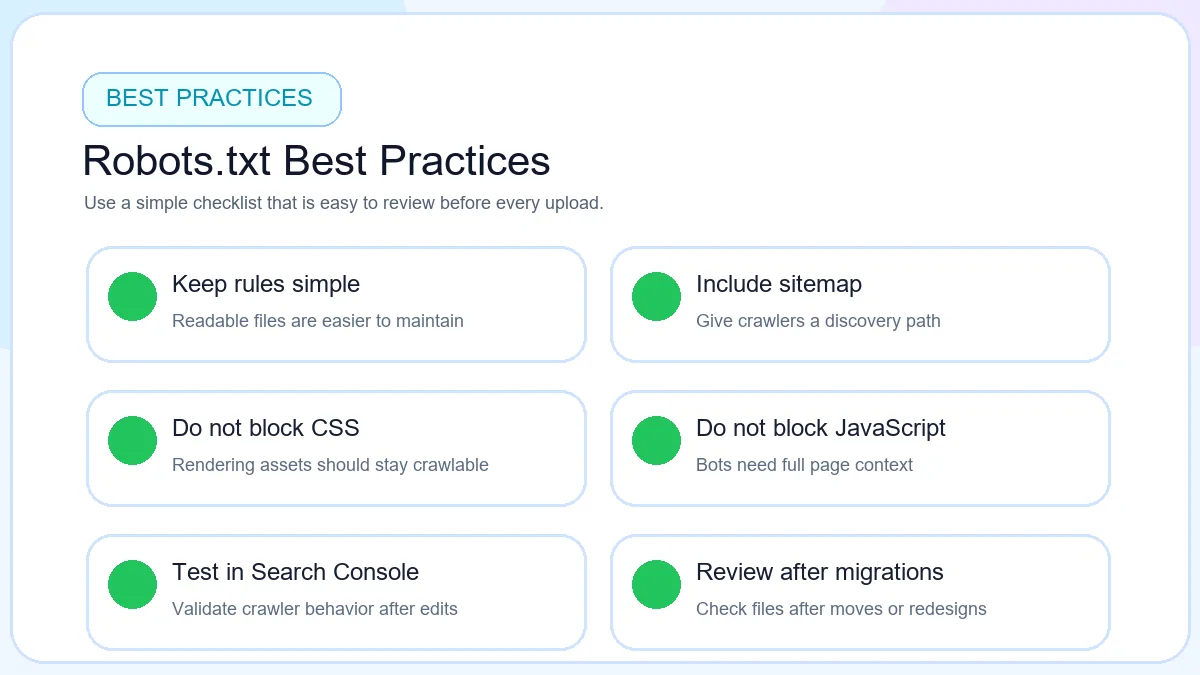
Keep the file simple enough that a human can review it quickly.
Add the sitemap URL after publishing or updating sitemap.xml.
Test robots.txt before publishing and after major site changes.
Avoid blocking important pages, product categories, blog posts or assets required for rendering.
Review the file after migrations, redesigns, plugin changes, or platform updates.
Monitor Search Console when crawl behavior changes unexpectedly.
These best practices matter because robots.txt is easy to edit but also easy to misuse. A short file with tested rules is almost always safer than a long file filled with copied patterns that nobody on the team fully understands.
If multiple people manage the site, document why each blocked path exists. That makes future edits safer and reduces the chance of deleting a useful rule during redesigns or SEO cleanup work.
Robots.txt Best Practices
Frequently Asked Questions
What is a robots.txt file?
A robots.txt file is a plain text file placed at the root of your website. It tells search engine crawlers which areas they may crawl and which areas they should avoid.
How do I create a robots.txt file?
Create a plain text file named robots.txt, add a user-agent, write the allow and disallow rules your website needs, include your sitemap URL, preview the output, test the file, and upload it to the root directory.
Where do I upload robots.txt?
Upload robots.txt to the root of the domain so it opens at a URL such as https://example.com/robots.txt.
Can robots.txt improve SEO?
Robots.txt can support SEO by guiding crawlers away from duplicate, low-value, or technical URLs so they spend more time on the pages that matter.
Can robots.txt block Google?
Yes. A Disallow rule can block Googlebot from crawling selected paths, so every rule should be checked carefully before publishing.
Should I add a sitemap URL?
Yes. Adding a sitemap URL inside robots.txt helps search engines discover important URLs more efficiently.
Can robots.txt protect private pages?
No. Robots.txt is public and only controls crawler behavior. Sensitive content should be protected with authentication or server-side permissions.
What happens if robots.txt is missing?
If robots.txt is missing, crawlers usually try to crawl the site normally. That does not always create a problem, but you lose the chance to guide crawling more precisely.
How do I test robots.txt?
Open the live /robots.txt URL, review the syntax, and test key URLs in your webmaster tools or crawler testing workflow before relying on the file.
Can WordPress create robots.txt automatically?
Some WordPress setups generate a virtual robots.txt file, but many site owners still prefer reviewing or creating a custom version so they can control the final rules clearly.
Create Your Robots.txt File Now
Create Your Robots.txt File Now
Use the free ToolsLuv Robots.txt Generator to create SEO-friendly crawler rules, add your sitemap URL, preview the file, and download it instantly.