XML Sitemap Generator Online Free
Crawl or paste URLs, validate them, and download standards-compliant sitemap.xml — free in your browser.

Use this XML sitemap generator online free in your browser — crawl a site or paste URLs, validate links, and download sitemap.xml for Google Search Console. Works for Blogger, WordPress, and custom domains.
Please wait, scanning website. This may take a few seconds.
Enter a website URL and click Generate Sitemap to begin.
Only URLs matching include pattern are kept. Exclude removes paths or file types.
Crawl cap controls how many pages are fetched; export cap trims the final XML.
Paste one URL per line or import from a TXT/CSV file.
Review status badges, remove duplicates, and fix HTTP links before export.
Run auto-crawl or paste URLs in manual mode.
| URL | Status | Source | Notes |
|---|
Optional protocol fields — omit by default unless you have accurate data.
Copy or download the files you need for your website and Search Console.
XML Sitemap: final sitemap code ready to upload.
Run Auto Crawl or paste URLs manually to generate sitemap.xml.
Try https://example.com in Auto Crawl mode. A typical scan discovers homepage and internal pages automatically.
Example output: sitemap.xml · robots.txt line · HTML sitemap · URL validation table
Upload the generated file to your site root or a public folder, then open the live URL in a browser to confirm it returns valid XML.
In Search Console, open Sitemaps, paste your full sitemap URL, and submit. Recrawl after major site updates.
Add one line such as Sitemap: https://example.com/sitemap.xml near the bottom of robots.txt so crawlers can find it faster.
This free XML sitemap generator builds a clean sitemap.xml from your URLs. Paste a list, upload TXT/CSV, or auto-crawl your site — then download or submit in minutes.
Run it before every launch or migration. You skip hand-editing XML, catch bad links early, and keep Search Console pointed at a file you trust.
Need an XML sitemap generator for Blogger or WordPress? The same workflow applies: collect URLs, validate, export, upload, submit.
XML Sitemap = A machine-readable file that helps search engines discover and understand website URLs more efficiently.
An XML sitemap is a plain list of URLs you want search engines to know about. It is not a visual page for visitors. It is a machine-readable file, usually named sitemap.xml, that tells crawlers which pages exist on your site and, optionally, when they were last updated.
Think of it as a table of contents for bots. Google, Bing, and other engines can still find pages through internal links, but a sitemap reduces the chance that deep or newly published URLs get overlooked. That is especially useful when a site is new, when you add sections quickly, or when some pages are linked weakly from the homepage.
A standard sitemap entry looks simple: a <loc> tag with the full URL, sometimes paired with <lastmod> for the last modification date. Search engines treat these as hints, not commands. Including a URL does not force indexing, and leaving a URL out does not always prevent indexing if the page is linked elsewhere.
<url>
  <loc>https://example.com/page</loc>
  <lastmod>2026-06-20</lastmod>
</url>
Where sitemaps help most is crawl efficiency. Large stores, documentation sites, and news sections can contain hundreds or thousands of URLs. Crawlers have a budget. A sitemap helps them prioritize important URLs instead of wandering through faceted navigation or old campaign pages.
For small sites, the benefit is clarity. You decide which canonical URLs belong in the index. That matters when you have staging domains, parameter-heavy URLs, or legacy paths you do not want to promote. A careful sitemap generator online workflow keeps the file aligned with what you actually publish.
A sitemap helps discovery but does not guarantee indexing. Pages still need quality content, clean titles, and sensible internal links.
Google discovers sitemaps in a few common ways: you submit the URL in Google Search Console, you reference it in robots.txt with a line like Sitemap: https://example.com/sitemap.xml, or Google finds it during a crawl if the file is linked clearly. Combining Search Console submission with a robots.txt reference is a practical habit many SEOs keep.
Blogger websites follow the same idea. Blogger can expose a default sitemap for posts, but many publishers still want a custom blogger xml sitemap generator workflow when they use custom domains, static pages, or mixed content types. WordPress users often rely on SEO plugins, yet manual and hybrid workflows still matter when you want a lightweight file or when a plugin adds URLs you do not want.
XML sitemaps pair well with robots.txt. Robots.txt controls crawl permission; the sitemap lists discovery targets. They solve different problems. A single sitemap file supports up to 50,000 URLs or 50MB uncompressed — larger sites split files and use a sitemap index. Image, video, and news extensions exist, but a basic urlset is enough for most blogs and business sites.
When does a sitemap not matter much? A tiny site with five pages and strong internal linking may get crawled fine without one. A sitemap still helps as a checklist, but it is not magic. Pages need unique value, clean titles, and sensible internal links. The file supports discovery; it does not replace content quality or site speed.
In practice, teams use an xml sitemap creator during launches, redesigns, and migrations. Export the URLs you intend to keep, generate XML, upload, submit, and monitor Coverage reports. People look for this workflow under many names: generate xml sitemap online, website sitemap generator, or xml sitemap generator tool. The difference between a rough export and a reliable file is validation, deduplication, and consistent HTTPS canonicals.
Many people look for a xml sitemap generator tool because plugins and CMS exports get messy after migrations. A quick paste-and-validate pass catches broken paths before Google does. That small habit prevents the classic mistake: a sitemap full of staging URLs, uppercase duplicates, and old campaign paths you forgot to remove.
If you maintain hreflang, canonical tags, or separate mobile URLs, keep your sitemap aligned with those implementations. One sitemap should reflect the URLs you want indexed in their preferred form. Mixed HTTP and HTTPS versions, trailing slash inconsistencies, and uppercase paths are common mistakes this tool helps you spot before upload.
Search Console reporting makes the value visible over time. When new URLs appear in the Sitemaps report as “Discovered,” you know the file is doing its job. Before you upload, spot-check five random URLs in the browser. If redirect chains or soft 404s appear, fix the site first. A sitemap xml generator online should help you clean the list, not mask underlying site problems.
A solid sitemap generator online also acts as a QA step. When you paste URLs, you see invalid entries, duplicates, and HTTP links that should probably be HTTPS. That review is worth ten minutes before you push a file live.
Run a quick crawl at depth 2 before every major launch. Export sitemap.xml, add the robots.txt line, and submit https://example.com/sitemap.xml in Search Console the same day you go live.
Paste your domain URL
Discover internal pages
Remove duplicates and errors
Export XML file
/sitemap.xml so Search Console submissions do not break later.Sitemap: https://yourdomain.com/sitemap.xml using our Robots.txt Generator if you need a clean file quickly.That is the full create sitemap xml workflow most small teams follow. Re-run the generator after launches so the live file matches reality.
Sign in to your blog dashboard
Collect post and page URLs
Create sitemap.xml file
Paste sitemap URL and submit
Blogger users often hit the same wall: the platform exposes posts, but you still need a clear path to tell Google which URLs matter on your custom domain. A dedicated blogger xml sitemap generator workflow helps you build that list without editing XML by hand.
Start by listing your important URLs: homepage, about page, contact page, label or category pages you want indexed, and individual posts you care about. If you recently moved from a blogspot.com address to a custom domain, generate the sitemap using the custom domain URLs only. Mixed hostnames confuse Search Console reports.
Blogger’s default sitemap feed can be useful for posts, but it may not reflect static pages or your preferred canonical structure. Export or paste URLs into this tool, generate XML, upload the file to your host or serving path, then submit the public URL in Search Console under your property.
After submission, watch the Pages and Sitemaps reports. If valid URLs show “Discovered – currently not indexed,” that is often a content or competition issue, not a sitemap syntax issue. Fix the page, improve internal links, and keep the URL in the sitemap if it is still important.
For Blogger sites with few pages, manual input is usually faster than crawling. For active blogs with frequent posts, auto crawl at depth 2 is a reasonable starting point. Re-generate monthly or after bulk publishing sessions so new posts appear promptly.
Pair this with a robots.txt check and solid meta titles from our Meta Tag Generator. Technical files support discovery; titles and descriptions still drive clicks once you rank. Many Blogger users also keep a simple blogger sitemap generator checklist: custom domain verified, HTTPS preferred, sitemap URL submitted, and internal links from the homepage to key posts.
Enable sitemap in Yoast or Rank Math
Build or crawl your URL list
Confirm https://example.com/sitemap.xml
Add URL in Search Console
WordPress sites often ship with a default sitemap at /wp-sitemap.xml, but that file may include tags, authors, or archive URLs you do not want indexed. A manual or crawl-based website sitemap generator gives you a reviewed URL list before upload.
Common WordPress workflow: export your published posts and pages from the CMS or crawl your live domain at depth 2, remove attachment URLs and feed endpoints, then download a clean sitemap.xml. Pair the file with your canonical tags so Search Console sees one preferred version of each URL.
If you use an SEO plugin, compare its output with this tool after migrations. Plugins sometimes keep old permalinks or staging paths. A quick validation pass catches HTTP links, duplicates, and thin archive pages before you resubmit in Search Console.
For large WordPress stores, split files when you approach 50,000 URLs. Enable sitemap index mode in Advanced Options if your catalog exceeds single-file limits. Keep product URLs HTTPS-only and match the trailing slash style your theme uses.
Select your site property
Go to the Sitemaps menu
https://example.com/sitemap.xml
Confirm and monitor status
sitemap.xml to your site root (for example https://example.com/sitemap.xml) and confirm it opens in a browser.Also add Sitemap: https://example.com/sitemap.xml to robots.txt so crawlers find the file even before manual submission. Our Robots.txt Generator can build that line for you.
| Error | What to fix |
|---|---|
| 404 URLs in the file | Dead links waste crawl budget. Remove them before export. |
| HTTP instead of HTTPS | Prefer secure canonical URLs in every <loc> entry. |
| Duplicate URLs | Trailing slash variants and mixed-case paths create noise. Deduplicate first. |
| Wrong hostnames | After a domain move, drop old staging or blogspot URLs. |
| File not reachable | Search Console cannot fetch a sitemap behind login or blocked by robots.txt. |
| Over 50,000 URLs | Split into multiple files and use a sitemap index. |
Most errors are fixable by regenerating from a clean URL list. Treat validation warnings in this tool as a pre-flight check, not an afterthought.
List only URLs you want crawled. Skip admin paths, internal search results, thank-you pages, and parameterized faceted URLs unless they are genuinely indexable landing pages.
Keep lastmod accurate when you change content. Avoid setting every URL to today’s date after a bulk export — that can look artificial. Use changefreq and priority sparingly; Google largely ignores them, but they help your own documentation.
Refresh the sitemap when you publish new sections, unpublish old campaigns, or change permalink structure. A stale file is worse than no file because it sends crawlers to dead ends.
Combine the sitemap with solid internal linking, unique titles, and fast page loads. Technical files support discovery; they do not replace useful content.
Helpful: new domains, blogs publishing weekly, ecommerce filters you do not want indexed, migrated sites, large archives, and any project where stakeholders want a single URL inventory. A free sitemap generator is also handy for client audits when you need a exportable list today.
Less critical: five-page brochure sites with strong navigation, temporary campaign microsites you plan to retire, or pages blocked by robots/noindex. Do not expect a sitemap to fix thin content, duplicate titles, or slow mobile performance.
Real example: a local service site added twelve city landing pages but linked them only from a footer widget. Search Console showed slow discovery. After adding those URLs to sitemap.xml and linking them from relevant service pages, crawl frequency improved within two weeks. The sitemap did not rank the pages by itself — internal links and better copy did — but Google found them faster.
Another common case: a Blogger writer moved to a custom domain and forgot to regenerate the sitemap. Old URLs lingered in the file. Cleaning the list and resubmitting stopped wasted crawls on redirects. Small maintenance tasks like this are why an online xml sitemap builder belongs in your publishing checklist.
An XML sitemap is a file that lists URLs you want search engines to crawl. It helps discovery, especially for new pages, large sites, and weakly linked URLs. It does not guarantee rankings or indexing by itself.
Collect your canonical HTTPS URLs, paste or crawl them in this XML sitemap generator, review validation results, then download sitemap.xml and upload it to your website at a stable public path.
Yes. This XML sitemap generator tool is free to use with no signup. You can crawl, paste URLs, validate links, and export sitemap files in your browser.
Yes. Use it as an XML sitemap generator for Blogger by pasting your custom-domain URLs or crawling your published site, then submit the uploaded sitemap URL in Google Search Console.
A single sitemap supports up to 50,000 URLs or 50MB uncompressed. This tool supports large lists and can generate a sitemap index when you enable that option for bigger sites.
No. Sitemaps are recommended, not required. Crawlers can find pages through links, but a sitemap is still best practice for most published websites.
Upload sitemap.xml to your site, open Google Search Console, go to Sitemaps, enter the full URL (for example https://example.com/sitemap.xml), and submit. Monitor the report for errors after updates.
Yes. Crawl or paste URLs in your browser with no signup. Validate HTTPS links, export sitemap.xml, and download supporting files — free for everyday site launches and migrations.
Yes. Crawl your WordPress site or paste URLs from wp-sitemap.xml, review the list, then export a cleaned sitemap.xml for Search Console when you want tighter control than the default plugin output.
Yes. The export follows the standard sitemap protocol Google expects. Upload the file, submit the public URL in Search Console, and refresh the file when you publish or remove pages.

Learn what sitemaps do, when you need one, and how to avoid common indexing mistakes.

Understand how crawl rules and sitemap files work together without sending mixed signals.
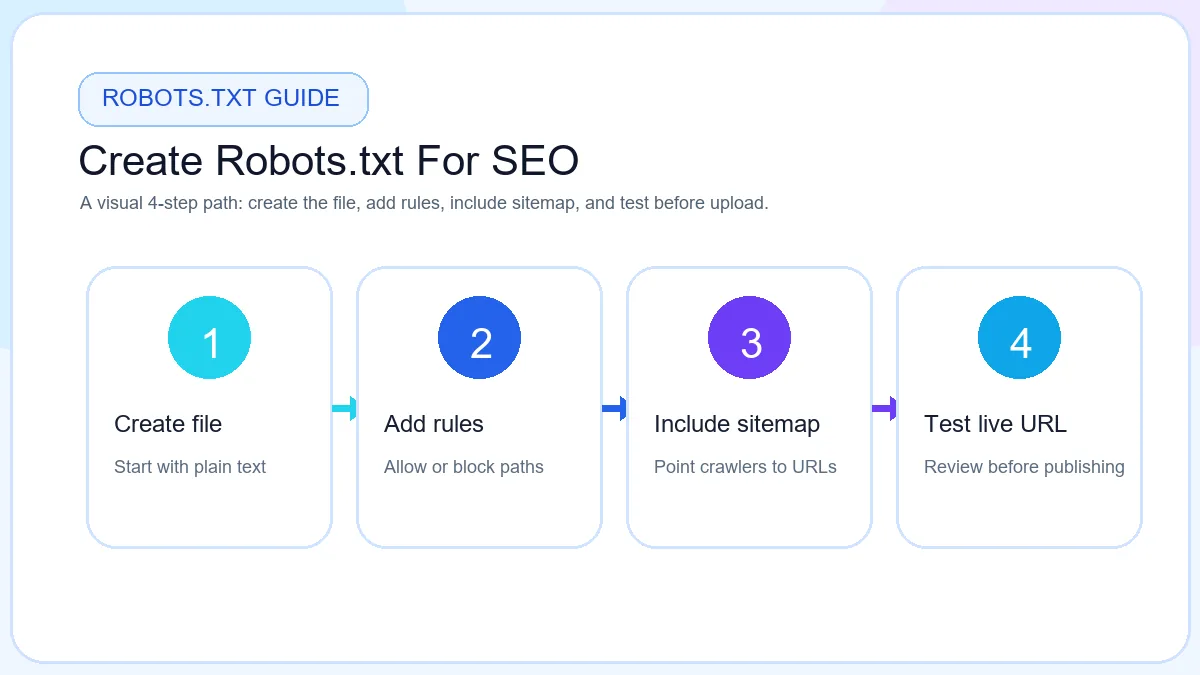
Build a clean robots.txt file and add your sitemap URL in the right place.
Use this XML sitemap generator to create sitemap.xml, validate URLs, and export supporting files. Submit the live URL in Search Console after uploads, refresh the file when you publish new sections, and keep robots.txt pointing to the same path. Good discovery supports SEO; it does not replace useful pages and clear internal links.
Continue with focused browser tools for metadata, crawl files, and on-page checks.